Showing posts with label Jayaseelan Vejayon. Show all posts

Monday, 16 October 2017

NMAP Commands for Scanning Hosts, Ports and Services

NMAP is quite a powerful tool for Security Penetration Testers. NMAP stands for Network Mapper and can be used at several phases of hacking/pen-testing. This tool is commonly used to scan open ports, services and the physical address (MAC address) of a host.

The tool is available in both Linux and Windows versions. The Linux version is somehow said to perform better and faster. NMAP comes together with Kali Linux - the Linux distribution often used by pen-testers.

NMAP is also available in GUI version and is called Zenmap.

NMAP Commands


We will test the commands on a local machine i.e. server1.jayitsecurity.com with IP address 192.168.43.84.

The commands are run with "root" access.

A. Scan a single host


Scan a host using its hostname

nmap server1.jayitsecurity.com

Scan a host using its IP address

nmap 192.168.43.84

Scan a host in verbose mode 

nmap -v server1.jayitsecurity.com

Fast scan a host

nmap -F server1.jayitsecurity.com

Show own host interfaces and routes

nmap --iflist

Scan a specific port

nmap -p 80 server1.jayitsecurity.com

Scan a TCP port

nmap -p T:8080 server1.jayitsecurity.com

Scan a UDP port

nmap -sU 53 server1.jayitsecurity.com

Scan multiple ports

nmap -p 21,80,8080 server1.jayitsecurity.com

Scan ports using range

nmap -p 21-80 server1.jayitsecurity.com

List services and versions on a host

nmap -sV server1.jayitsecurity.com

B. Scan multiple hosts


Scan multiple hosts

nmap server1.jayitsecurity.com 192.168.43.1 192.168.43.2

Scan a subnet

nmap 192.168.43.*

Use last octet of multiple IP addresses

nmap 192.168.43.1,2,84

Use an IP address range

nmap 192.168.43.1-100

Use list of hosts from a file

nmap -iL host_IP_address_list.txt

Exclude host(s)

nmap 192.168.43.1-100 --exclude 192.168.43.84

List live hosts in a network

nmap -sP 192.168.43.*

C. Scan to detect Operating System


Scan OS information and Traceroute

nmap -A 192.168.43.1

OS Detection

nmap -O 192.168.43.84
or
nmap -osscan-guess 192.168.43.84

D. Scan to detect Firewall


Detect firewall on host (packet filters)

nmap -sA 192.168.43.84

Detect whether a host is protected by firewall

nmap -PN 192.168.43.84

Perform TCP null scan to avoid firewall

nmap -sN 192.168.43.84

E. TCP three-way handshake

Note: If ICMP packets (eg. ping requests) are blocked, TCP ACK and TCP SYN can be used to find the live hosts/ports.


Scan using TCP ACK (PA)

nmap -PA 192.168.43.84

Scan usingTCP Syn (PS)

nmap -PS 192.168.43.84

Scan specific ports using TCP ACK

nmap -PA -p 21,22,80 192.168.43.84

Scan specific ports using TCP SYN

nmap -PS -p 21,22,80 192.168.43.84

Scan for common ports with TCP SYN

nmap -sT 192.168.43.84

F. Perform a stealthy scan


nmap -sS -p 21,22,80 192.168.43.84

Sunday, 8 October 2017

Understanding the TCP Three-way Handshake

The TCP three-way handshake (or TCP-handshake) is the method to establish a connection between communicating devices (eg. two computers), over an Internet Protocol (IP) based network. In this handshaking method, three types of messages are exchanged. They are SYN, SYN/ACK and ACK. These messages are used by the communicating devices to negotiate and establish a TCP session. While the handshaking happens, the devices will also exchange information like the TCP socket connection. Once the connection has been established, the data transmission happens next. For example, data can be in the form of HTTP, HTTPS, FTP, Telnet and so forth.

Let's assume that we have two devices, Computer A and Server B. Computer A has an Internet browser application. Server B is a web server that responds to HTTP requests. In order for these two devices to communicate, a TCP session must be established between them even before the HTTP request happens.


  • Computer A will first send a SYN data packet over an IP network to Server B to connect to the TCP socket on port 80  (Server B). Server B must have the port open to receive the connection. In this case, we assume that port 80 (the default port for HTTP) is open and listening for connections. 
  • When the SYN packet from Computer A is received on port 80 (Server B), Server B responds with the SYN/ACK packet.
  • Computer A receives the SYN/ACK packet and responds again with an ACK packet.

A session has now been created and Computer A and Server B will communicate and transmit HTTP requests and data. 

During communication, the devices use the SYN and ACK messages, along with the Seq (Sequence) numbers so that the flow of the data packets are orderly transmitted and reassembled.

When the communication ends (eg. Computer A closes the browser), there is also a 3-way handshake performed to tear down the TCP socket connection. The process goes this way:


  • Computer A sends a FIN/ACK packet.
  • Server B responds with an ACK packet and sends a second packet with FIN/ACK messages set to Computer A.
  • Computer A receives the FIN/ACK packet and responds with an ACK packet.
The communication has now ended on both sides.

An article on how scans can be performed on open ports based on these TCP flags/messages will be published soon.


Monday, 17 October 2016

Difference between Confusion and Diffusion in Cryptography

A ciphertext has the possibility of being broken by using statistical analysis that could provide some information on the frequency of characters, which can then be compared to common characters in a known language. For example, the letter 'e' has the highest usage in English language and therefore a cryptanalyst may match the highest frequency of a character in the ciphertext to letter 'e' and starts attacking the ciphertext. Similarly, a digram like 'th' or trigram like 'the' can also be used, as they have the highest usage in English. The same method can then be experimented with other letters, until a reasonable number of characters could be revealed to break the ciphertext.

For a ciphertext to be secure enough, it is important that statistical or frequency analyses on the ciphertext would not yield enough information to break it. This is possible by providing "confusion" and "diffusion" through the encryption process.

The purpose of confusion is to make the relationship between the ciphertext and its key to be as complex as possible. The encryption operation performed should keep the relationship between the key and ciphertext obscured. The goal of confusion is - even if the cryptanalyst has some knowledge about the statistics, it would still be difficult to deduce the key.

Claude Shannon proposed that to make it hard for the statistical attacks, the cryptographer could dissipate the statistical structure of the plaintext, in the long range statistics of the ciphertext. This process is called as diffusion. This is possible if many of the plaintext characters can affect each of the ciphertext characters. When such a process takes place, the ciphertext characters will no longer have matching characters in the plaintext in terms of statistics.

In binary block ciphers, such as Data Encryption Standard (DES) and Advanced Encryption Standard (AES), diffusion can be provided by applying permutations on the plaintext data.The output data from the permutations can then be channeled to a function that will produce the ciphertext. This will complicate the statistics of the ciphertext. 

In DES and AES, confusion is done by using substitution while diffusion is achieved by using permutation. More will be discussed on these in other posts.

Saturday, 2 July 2016

Simple Steganography: Hiding Files in Images

Steganography is the art and science of hiding information in ways that prevent the detection of hidden messages. Steganography literally means “covered writing” and is usually interpreted to mean hiding information in other information. Comparing it to cryptography, steganography has its advantage because the message itself will not attract the audiences, as the very nature of a steganography system is to hide the message in an imperceptible manner.

Using the step-by-step instructions below, we will try to hide a document file in an image file. We can hide other types of files (excel, powerpoint, text, etc) in the image file too.

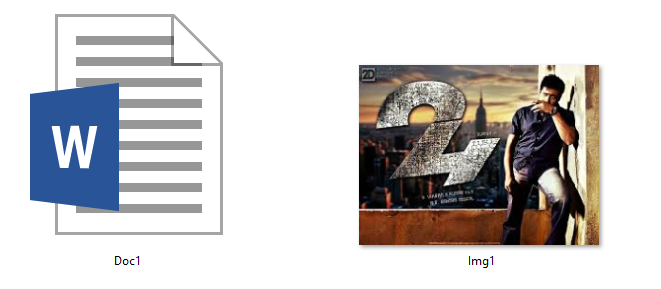
Get two files. For the example below, we will name these files as Doc1 and Img1.

Document file: Doc1.docx
Image file: Img1.jpg


Step 1:
Create a new folder and put both the document and image files together in the folder.

Step 2:
Compress Doc1 using WinZip or WinRAR. Name the file as Compress1. (Note: You can compress more than one file to be hidden in the image file)

Step 3:
Open "Run" dialog box by pressing the "Windows + R" buttons and type "cmd" in the box. Click OK or press the Enter button to open the Command Prompt Window.


Step 4:
Use the "cd" command to navigate to the folder where you have kept your files. See the example below.


Step 5:
Use the command below to copy the compressed file (Compress1) to Img1.jpg.
      copy /b Img1.jpg+Compress.zip Img1.jpg

We are done! We have just hidden the Compress1 file in Img1.

Step 6:
Now, how do we view the Compress1 file hidden in the Img1 file?
We have to extract the Img1 file using WinZip or WinRAR. Yes, you read it correct. We have to extract the image file to view the hidden files!


Sunday, 27 September 2015

Breaking Windows 7 and Windows 8 Admin Passwords

There are a number of ways to break Windows 7 or 8 Admin passwords. The steps below show one of the methods. This method replaces the Sticky Key application with Windows CLI application. Sticky Keys is a feature which is enabled by default in Windows 7/8 machines. In the Windows logon screen, Sticky Key opens when you press the Shift key on your keyboard five times.

When the replacement is made, the CLI opens with elevated access rights (Administrator's rights) and therefore it allows for password re-set or creation of new users. Of course, it also allows you to set the new user as a local administrator of the computer.

What do we need:

The steps:
  1. Switch on the computer with the Ubuntu CD/USB Stick inserted.
  2. From the BIOS, select the boot sequence so that you can boot from your CD/USB Stick.
  3. The computer boots in Ubuntu environment, and you will now have to look for the Sticky Keys application (sethc.exe)
  4. The file is typically in c:\windows\system32 folder. Create a copy of the file and rename it. You probably want to rename the copy as sethcbkp.exe. 
  5. Delete sethc.exe.
  6. Now look for cmd.exe in the same folder. This is the command prompt application. You may now make a copy of cmd.exe and rename it as sethc.exe.
  7. You are done with the simple hack of replacing the Sticky Keys application with the command prompt application. Shut down your Ubuntu. The command line is sudo shutdown -h now
  8. Remove your Live CD/USB Stick.
  9. Start/Restart the computer.
  10. When the Windows logon screen appears, press the Shift key 5 times. This action will now open the Command Prompt. Notice that it has opened with the Administrator's rights.
  11. Enter the command below to reset the password;
    • net user your_user_name new_password
  12. Type net user if you are not sure of the users available in the computer. This will list down the users.
  13. Once the new password has been set, you may now log on with the new password.
  14. If you want to create a new user (eg. username newuser and password newpass), then enter the command below
    • net user /add newuser newpass
  15. Add the new user in the Local Admin group
    • net localgroup administrators newuser /add
  16. You can now log on to the computer with the new user with Admin rights.
If you are an IT guy, you may want to prevent your users from changing the passwords. Follow the instructions available on Disability and Resources Educational Services page to enable/disable the Sticky Keys feature. You may want to ensure that there are no users with disabilities that would need the feature.


Sunday, 5 July 2015

Difference between Threat, Vulnerability and Exploit

"A threat is posed to an information asset when an attacker can use an exploit on the vulnerability in the asset"


So, what are threat, vulnerability and exploit actually? Let's look at the definitions of these three terms and some explanations that will differentiate them.

Threat

A threat is anything that can possibly cause damages to an information asset. 

Threats are possible to cause damages if there are vulnerabilities on the system. Vulnerabilities need to be fixed to stop the threats associated to the vulnerabilities.

Threats in computing systems can be applied in three categories i.e. hardware, software and data. Substitution of equipment, theft of hardware and deliberate attacks on computing equipment are some examples of threats that can posed on hardware. Threats on software are such as deletion, modification and theft. Threats on data may also involve modification, deletion and theft.

Vulnerability

Microsoft has defined a security vulnerability as a flaw in the product. This flaw could permit an attacker to compromise the confidentiality, integrity and availability of the product.

"Security in Computing" has defined vulnerability as a weakness in the security system. These weaknesses can be in procedures, design or implementation of a system. 

Exploit

An exploit is the attack on a computer system. Exploits take advantage of the vulnerabilities (weakness) of the computing system.

You may have heard or read about hackers creating programs (software codes) that could use vulnerabilities in other software, including operation systems. When there are known vulnerabilities like this, the owner of the software system will develop and provide a "patch" to fix the vulnerability. If a vulnerability is not fixed, an exploit can be used to attack the software, which in turn could cause damages to the systems running the software.


Example:

Imagine a water dam wall that has a crack on it. And let's say the crack is at the higher half of the wall. So long the water level is low, the wall will be holding the water. The rising water level is however is a threat as it could cause the wall to collapse and cause flood as well as other damages. Now, we know that there is a crack there. This crack is the vulnerability. Imagine an enemy (attacker) whom wants to deliberately collapse the wall using the crack. The methods that he will use to collapse the wall using the crack is the exploit.


Sunday, 14 June 2015

Games for IT Security Awareness

Creating IT Security Awareness is probably the most important task in an organization that seriously looks into protecting their information assets. An organization can spend heavily on their computer and network security solutions and yet fail to keep their assets safe; as their staff are not aware of the importance of IT security. Humans (users) have always been mentioned as the weakest link in many researches when it comes to IT security. Damages to IT systems can happen not only because users fail to conduct good IT security practices, but can also cause the systems to malfunction because of their carelessness and ignorance. 

A user may become a victim to phishing or scam attacks if he does not know what these attacks are and how they work. For example, a user may receive an error or warning message that says his computing or mobile device needs to be "cleaned" or "tuned". Thinking that this message is genuine,  the user may thus download a malicious software that is associated with the error/warning message. Malwares are known to be able to create many types of issues on a user's computing or mobile device i.e. slowing down the device performance, stealing the computing power of the device, stealing the information on the device or even taking control of the device.

Another example is that ignorant and innocent users may fall victim to phishing attacks. Phishing still remains as the highest fraud attack that users fall into. The very nature of phishing is to "fish" users to provide their important and valuable information i.e. credit card details, usernames and passwords. Emails received by users may contain creatively drafted messages that lures them to provide the important information. Users may carelessly provide their usernames and passwords from an email with the subject such as "Change Your Password Immediately". This fraud email which may contain links to fake websites (but look and feel like the original ones) will collect the username and password pairs. 

If users are aware about the existence of such security problems, the chances are that they are more cautious when they come across such threats. For this, users must be given awareness on the importance of IT security. Among the many ways of doing so i.e. training, classroom teaching and videos, learning via games is probably another good approach in creating security awareness. Games involve users and therefore makes the learning of security awareness more engaging and interesting.

There are a number of games which have been created for this purpose. Among these games are CyberProtect, CyberCIEGE, Anti-phishing Phil, Artificial Intelligent Wars and also some games created by Next Generation Security (NGSEC). Brief details of some of these games are given below:

CyberProtect
This game teaches the basics of Information Assurance at the network level. This game is targeted to teach IT security professionals. In this game, players will learn how to protect their virtual network using protection measures and controls like firewalls, antiviruses, security policies, etc. Attacks are posed to the players' virtual network and the players' Information Assurance strategies will determine whether the attacks can be denied or not.

CyberCIEGE
This video game teaches the concepts of computer and network security. Players will spend virtual money to operate and defend their virtual networks. The objective of this game is to improve the players' knowledge on Information Assurance. At the same time, it provides cyber security education and training to the players. Just like CyberProtect, players will see the strength of the measures they put in protecting their virtual network while under attack, and the outcomes of those. The link to the game's site is here.

Anti-phishing Phil
As the name implies, this game focuses on teaching the users on countering phishing attacks. It shows the players on identifying phishing URLs, looking for cues in web browsers, and on getting the search engines to find the genuine and legitimate sites. The link to the game's site is here.

Wednesday, 7 January 2015

Difference between 'Phishing', 'Clone Phishing' and 'Spear Phishing'

"Phishing" is the term used for the popular online attack that exploits emails or use malicious websites to obtain a user's personal information. An attacker intelligently pose as a trusted party and tricks a user to provide important information such as credit card details, bank account details, usernames and passwords or other confidential details. Phishing is an attack that does two-time scam. The first one is by stealing an organization's identity. Then, this stolen identity is used to victimize the consumers or users. The term "phishing" in fact came from the word "fish". The attackers "fish" the users by luring them sophisticatedly into providing information that will benefit the attackers i.e. financial information. Unfortunately, many of the victims may never realize that they have been attacked.

As there are many tools available today in creating malicious programs, phishing tools are easily developed. Attackers are finding new and creative ways on deceiving the online users. "Clone phishing" is the term used when emails or websites are "cloned" from the original ones. Details and information are gathered (including copyright messages, logos, etc) from the legitimate email/website and are used in the "clones". A phisher may use address (email or web) spoofing to mimic the actual address. The messages on the email or the content of the website are creatively drafted to lure the online users to provide their valuable information i.e. bank accounts, credit cards, personal details, etc.

"Spear phishing" is another term used in phishing attacks. This term is used when the victims have been targeted before the attacks are made. One such example is where senior executives or top management personnel are identified and their profiles studied. The phishing attacks are crafted specifically for them. A number of emails may be sent to a victim; to create the trust. When the trust is built, the victim is deceived to provide sensitive information. Top management personnel usually have high access rights to many systems and a successful attack can be very damaging to an organization. The organization's sensitive and valuable data could be leaked or stolen if such access rights are gained by the attackers.

Creating awareness on phishing and the damages it can cause still remains as the best method in counter-measuring the phishing issues. Users must be educated about online safety. Users must realize that the "online" world is not really a safe one and therefore be cautious when providing information about themselves on Internet.


Tuesday, 15 July 2014

Hackers: Difference between Black, Grey and White Hats

You may have heard about Hackers being Black, Grey or White Hats. What does each of this Hat mean? And what are the main differences between them? 

Black Hat Hackers are individuals with good computing knowledge, abilities and expertise but with the intentions and conducts to cause damage on the systems they attack. These hackers are also known as crackers. 

Grey Hat Hackers, are the individuals in between the bad and good. They perform both offensive and defensive hacking activities. These hackers may perform offensive hacking activities in order to detect defects in victims' computing environment and inform them, in return for a fee.


White Hat Hackers are the good guys. These are the individuals with good hacking skills. They perform defensive activities against hacking. These hackers make their livings by becoming security analysts.

Apart from the hackers above, there is another group named without a hat color. They are called as the Suicide Hackers. Individuals whom want to fail a computing system for a personal ‘reason’ or ‘cause’. These hackers are not worried about the serious consequences that they may have to face as a result of their damaging activities i.e being jailed for many years.


Monday, 26 August 2013

WHOIS Lookup - Online Tools

In hacking activities, "footprinting" is referred to as the activity of collecting information of a victim network as much as possible. It can be the collection of information of the operating systems (type, version, etc), services running on the servers, vulnerabilities on the network and all other basic information about the network. Some of the footprinting activities can be performed by running queries to search for the WHOIS and DNS information.

What is WHOIS? WHOIS is described as the query and response protocol to query the database that contains the records of  registered users of an Internet resource.

There are many WHOIS Lookup Tools available both as PC applications and online tools. Some of the online tools are:

Whois

Better Whois

Whois Lookup

Domain Tools

WHOIS

TAMOS

NetCraft


WHOIS databases are maintained by Regional Internet Registries (RIRs). The RIRs are AfriNIC, ARIN, APNIC, LACNIC and RIPE NCC. When queries are made, information that may be gained by the hackers/attackers are the address of the organization, the contact details (telephone numbers, email addresses) of the administrative and technical personnel, the name server records and IP address of the domain. And, this information can be very important in the "footprinting" activity by the attacker before a structured and planned attack is made over a targeted victim network.


Monday, 19 August 2013

Outsourcing Contingency Measures

According to Gartner, the increased number of common business interruptions has amplified the external disaster recovery services; including data center, backup and mobile recovery services. The monetary value given to this business is $3-$4 billion a year.

Stacy Collett in her article “Five Steps to Evaluating Business Continuity Services” provided the guideline below in evaluating the business continuity services:
  • Weigh the benefits of specialized business continuity planning software.
  • Consider the major business continuity/availability service providers and some niche players.
  • Let recovery requirements dictate the level of dedicated BC services.
  • Don’t forget emergency notification systems.
  • Use caution when outsourcing business continuity functions overseas.

The article in general holds the idea that although the do-it-yourself approach to business continuity has its advantages, it is not right for everyone.

With the growth of cloud computing at present, organizations can look into moving their applications and data into the Internet cloud. Outsourcing to cloud computing services providers can be relatively inexpensive as the hardware and operational costs are borne by the service providers. However, we should consider that when we choose a cloud computing service provider, they have good contingency plans too.

Insurance is a method to outsource the contingency in order to recover the cost of equipment in the case that the equipment is damaged due to natural disaster, accident, terrorist attack, etc.
BCPs that use cold, warm or hot sites can subscribe to the vendors that provide such services. An example is where after the 9/11 attack, disaster recovery vendors provide services on restoring systems and temporary office space with telephony system and Internet access.

A common example is the web-hosting service where an organization can choose to run its website by outsourcing it to a hosting service. Whilst, there are many factors to consider when building an in-house server to run the web application (i.e cost of server, operating system, web server software, anti-virus, anti-spam, HIPS, IDS, IPS, etc) and cost the organization a bomb, outsourcing to a service provider will not only take care of the web-hosting, but also most of the contingency measures that otherwise have to be done in-house.

Sunday, 28 July 2013

Access Controls

The Access Control Concepts can be categorized in many ways. One such way is to describe them in these three forms: Preventive, Detective and Corrective. Preventive Controls are meant to restrain or hinder harmful occurrences, Detective Controls are designed to discover harmful occurrences and the Corrective Controls are put in place to restore systems that have become victims of harmful attacks.

Two other important control concepts are Separation of Duties and Principle of Least Privilege.

Separation of Duties requires that a process is performed by two or more parties for successful accomplishment. This is common in IT organizations that do not want a single person to whole the complete position to make changes on a system. This is to avoid the chances of one person introducing errors in any manner without being detected.


Principle of Least Privilege is the control concept that defines that the party performing a process should be provided with the minimum resources and privileges. And, to complete the process, the time provided should also be minimum. For example, on a server environment, a user can have different privileges; ie. Administrator, Backup Operators, Remote Users, Power Users, Users, Guests, etc. If a user needs access to perform some backup operations, it is not required that the user is provided with the privilege to create new accounts or make changes to the system. Therefore, the limited privilege as Backup Operators is sufficient to this user. Allowing the user to have more than that may introduce the possibility of the user performing other processes and creating errors. 

Control measures in implementations can also be categorized as Administrative Controls, Logical/Technical Controls and Physical Controls.

Examples of Administrative Controls are policies and procedures, security awareness trainings, employee background checks, work habit checks, review of vacation history and increased supervisions.

In Logical or Technical Controls, the restriction of access to systems and the protection of information are implemented by using encryption, smart cards, access control lists and transmission protocols.

Physical Controls are provided by using guards, locking of doors, securing the server rooms and other computing devices, implementing Separation of Duties and performing file backups. 

Friday, 18 January 2013

Difference between Policies, Standards, Guidelines, Practices and Procedures


Policy is basically a written document that lays out the exact requirements or rules that must be met by the employees. It generally describes the acceptable and unacceptable behaviours of employees in the workplace. In information/network security, policies are usually covers a single area, for example "Acceptable Use of Computing Facilities in the University".

Standard is a thorough statement of what members of an organization need to do to adhere to a policy. This can be in the form of system-specific or procedural-specific requirements. These requirements are to be followed by everyone. As an example, staff may want to use their own mobile devices in the workplace. Therefore, the standard for connecting the mobile devices to the organization's network must be followed exactly. 


Guideline is literally a group of system specific or procedural specific recommendations for best practice. Guidelines are not must-follow requirements. Referring to standards and guidelines are however looked at as an effective property of good security policies.

Practices are methods or processes used by an organization to accomplish its objectives.

Procedures are methods or processes, usually detailed, put in place by an organization in order to accomplish its objectives.

Wednesday, 9 January 2013

Main Differences Between Symmetric and Public Key Cryptography


Symmetric key cryptography systems use the same key for both to encrypt the plaintext and to decrypt the ciphertext. Symmetric key systems have the advantage of being simple and fast. However, the important factor to be considered is that the parties involved must exchange the key in a secured way.


In comparison to symmetric key, public key cryptography systems use different keys to encrypt to plaintext and to decrypt the ciphertext.


Public key uses 2 different keys – a public key for encryption and a private key for decryption. Using this encryption system, the public key can be distributed in a non-secure way. The private key is never transmitted and is only available at the recipient’s side. As the keys are different, the decryption of the chipertext computationally is assumed to be not feasible without the private key.

Thursday, 5 July 2012

Checking Image Quality Using MATLAB PSNR program

Checking Image Quality Using MATLAB PSNR program

PSNR or peak-to-noise ratio is used to evaluate the quality of the watermarked image after embedding the secret message in the image.

The PSNR value more than 30dB shows that the watermarked image quality is acceptable to human eyes. Basically, the larger the PSNR value, the better the quality of the watermarked image is. It means that the distortions created on the watermarked image is not really perceptible and difficult to be detected by the human visual system.

On the other hand, if the PSNR value is less than 30dB, the watermarked-image is most likely to give some 'noise' on the image. This 'noise' becomes perceptible to human eyes and so the watermarked-image is considered to have lesser quality.

The MATLAB code below lets you to compare the original (host) image and the watermarked image and then gives you the PSNR value.

MATLAB Code

clear all; close all; clc;

[filename1,pathname]=uigetfile('*.*','Select the original image'); 
image1=imread(num2str(filename1));

[filename2,pathname]=uigetfile('*.*','Select the watermarked image'); 
image2=imread(num2str(filename2));

figure(1);
imshow(image1); title('Original image'); 

figure(2);
imshow(image2); title('Watermarked image');    

[row,col] = size(image1)
size_host = row*col;

o_double = double(image1);
w_double = double(image2);
s=0;

for j = 1:size_host; % the size of the original image
s = s+(w_double(j) - o_double(j))^2 ; 
end

mes=s/size_host;
psnr =10*log10((255)^2/mes);
display 'Value of',psnr

Sunday, 20 May 2012

Differences between Cryptography, Steganography and Digital Watermarking


Cryptography is defined as the art and science of secret writing. The word itself comes from Greek where the words kruptos (κρυπτοσ) and graphen (ϒραφην) mean secret and writing, respectively. The focus in cryptography is to protect the content of the message and to keep it secure from unintended audiences.

The purpose of cryptography is to create schemes or protocols which can still complete the intended tasks even in the presence of an adversary. Cryptography’s main task is to ensure users able to communicate securely over an insecure channel. This communication however must ensure the transmission’s privacy and authenticity. [1]

Steganography is the art and science of hiding information in ways that prevent the detection of hidden messages. Steganography literally means “covered writing” and is usually interpreted to mean hiding information in other information. Comparing it to cryptography, steganography has its advantage because the message itself will not attract the audiences, as the very nature of a steganography system is to hide the message in an imperceptible manner.

Another definition given for steganography is “hiding in plain sight”. The message is still in the open, but it goes undetected because the existence of the message itself is a secret. It is explained as a communication that takes place in open, but unless they are in the know (the sender or recipient), the message goes unnoticed. [2]

Watermarking is the process of embedding a message on a host signal.  Watermarking, as opposed to steganography, has the additional requirement of robustness against possible attacks. A watermark can be either visible or invisible.


Using digital watermarking, copyright information can be embedded into the multimedia data. This is done by using some algorithms. Information such the serial number, images or text with special significance can be embedded. The function of this information can be for copyright protection, secret communication, authenticity distinguish of data file, etc. [3]

In cryptography, the message is usually scrambled and unreadable. However, when the communication happens, it is known or noticed. Although the information is hidden in the cipher, an interception of the message can be damaging, as it still shows that there is communication between the sender and receiver. In contrast, steganography takes a different approach in hiding the evidence that even a communication is taking place.[2]

Some of the differences between steganography and watermarking are [4]:

  • the information hidden by a watermarking system is always associated to the digital object to be protected or to its owner while steganographic systems just hide any information
  • “robustness” criteria are also different, since steganography is mainly concerned with detection of the hidden message while watermarking concerns potential removal by a pirate
  • steganographic communications are usually point-to-point (between sender and receiver) while watermarking techniques are usually one-to-many


References:
  1. Coron, J.-S., What is cryptography? IEEE Security and Privacy, 2006. 4(1): p. 70-73.
  2. Wiles, J. and R. Rogers, Techno Security's Guide to Managing Risks for IT Managers, Auditors, and Investigators. Security & Networking. 2007: Syngress. 1.
  3. Jiang, X. Digital watermarking and its application in image copyright protection. in 2010 International Conference on Intelligent Computation Technology and Automation, ICICTA 2010, May 11, 2010 - May 12, 2010. 2010. Changsha, China: IEEE Computer Society.
  4. Stefan Katzenbeisser, Fabien A. P. Petitcolas, “Information Hiding Techniques for Steganography and Digital Watermarking”, 2000, pp. 2.

Popular Posts